HummingbirdEnterprise SaaS
Tools for fighting financial crime
An enterprise compliance platform for the teams who investigate financial crime and report it to regulators.
The context
Who Hummingbird served
What was the product?
Hummingbird — a financial crime compliance platform, from surfacing suspicious activity to filing regulatory reports.
Who were the users?
Financial crime investigators reviewing flagged transactions, building cases, and deciding what gets reported to regulators. High volume, legal consequences.
What were the stakes?
Regulatory compliance. Missed filings and flawed decisions expose institutions to legal and reputational risk.

01 · Self-service configuration
Their procedure, not ours
Every compliance team runs its own procedure. Self-service configuration let teams build their own review types inside Hummingbird: the stages, the tasks in each, and which ones were required. I designed it.
- The problem
Each review captured different information and closed with different steps. A new review type meant waiting on us to set it up.
- The hard part
Giving compliance teams real control over how a case was structured, without letting them build one that broke the case or its record.
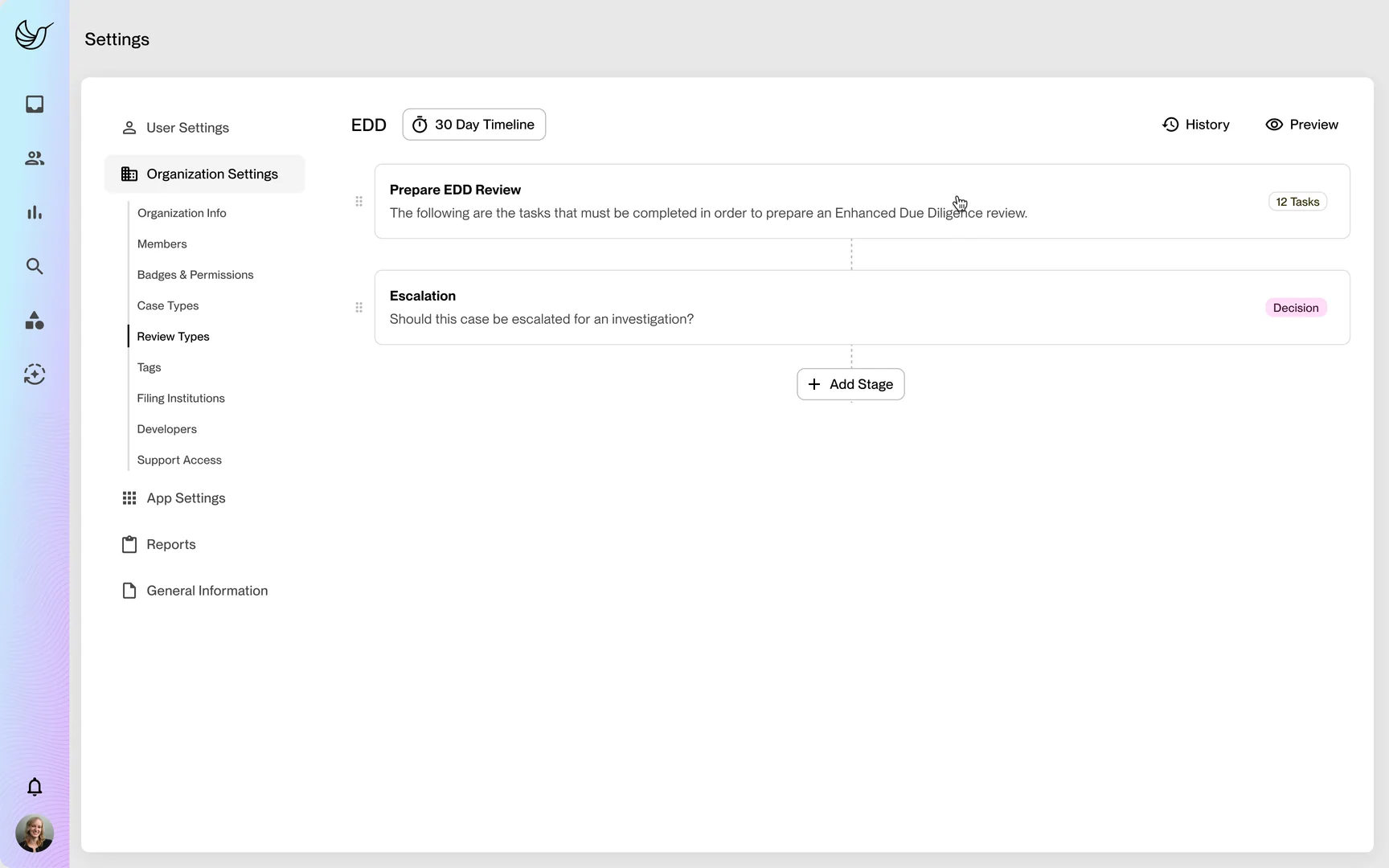
01 · Review stages 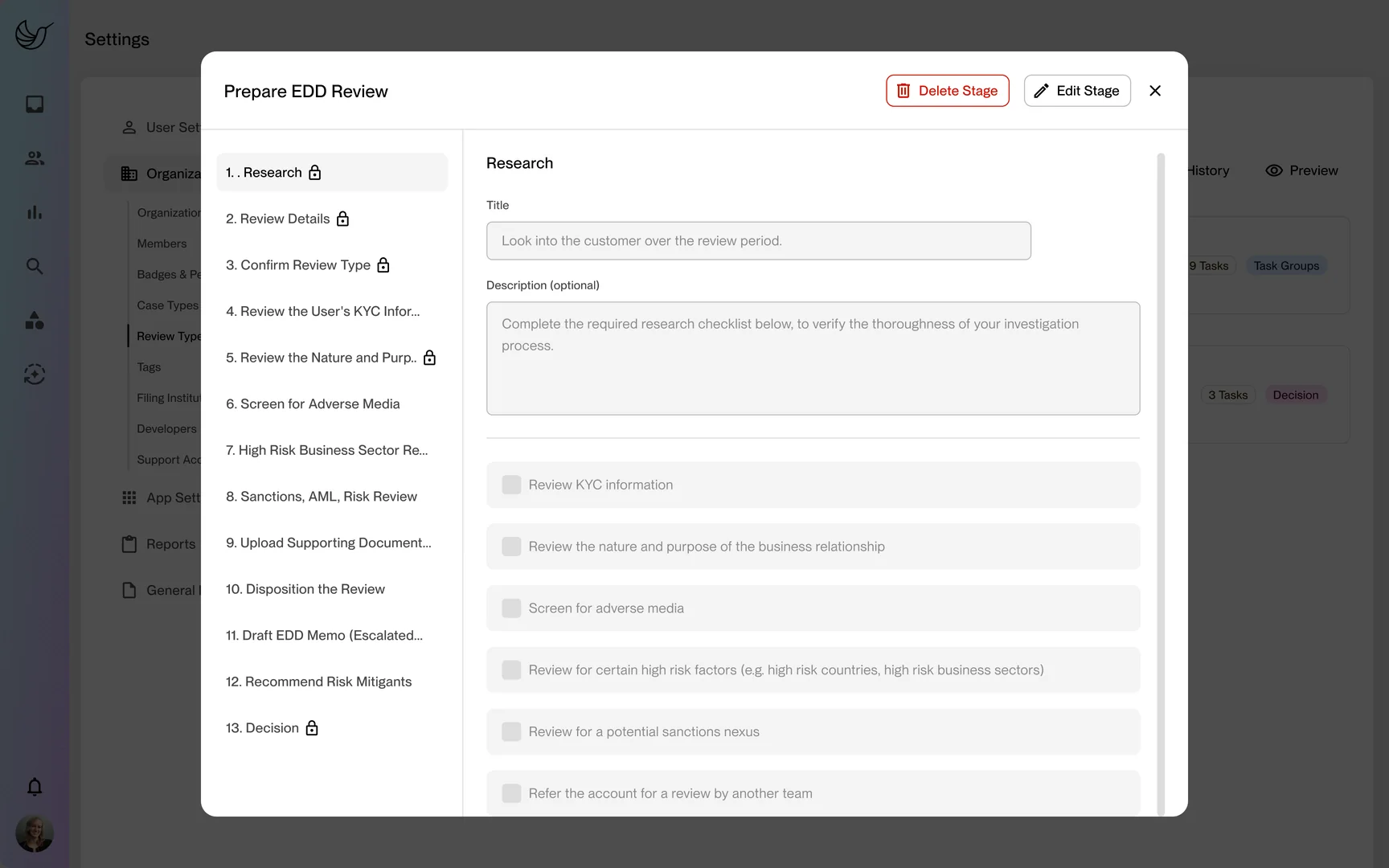
02 · A stage's tasks 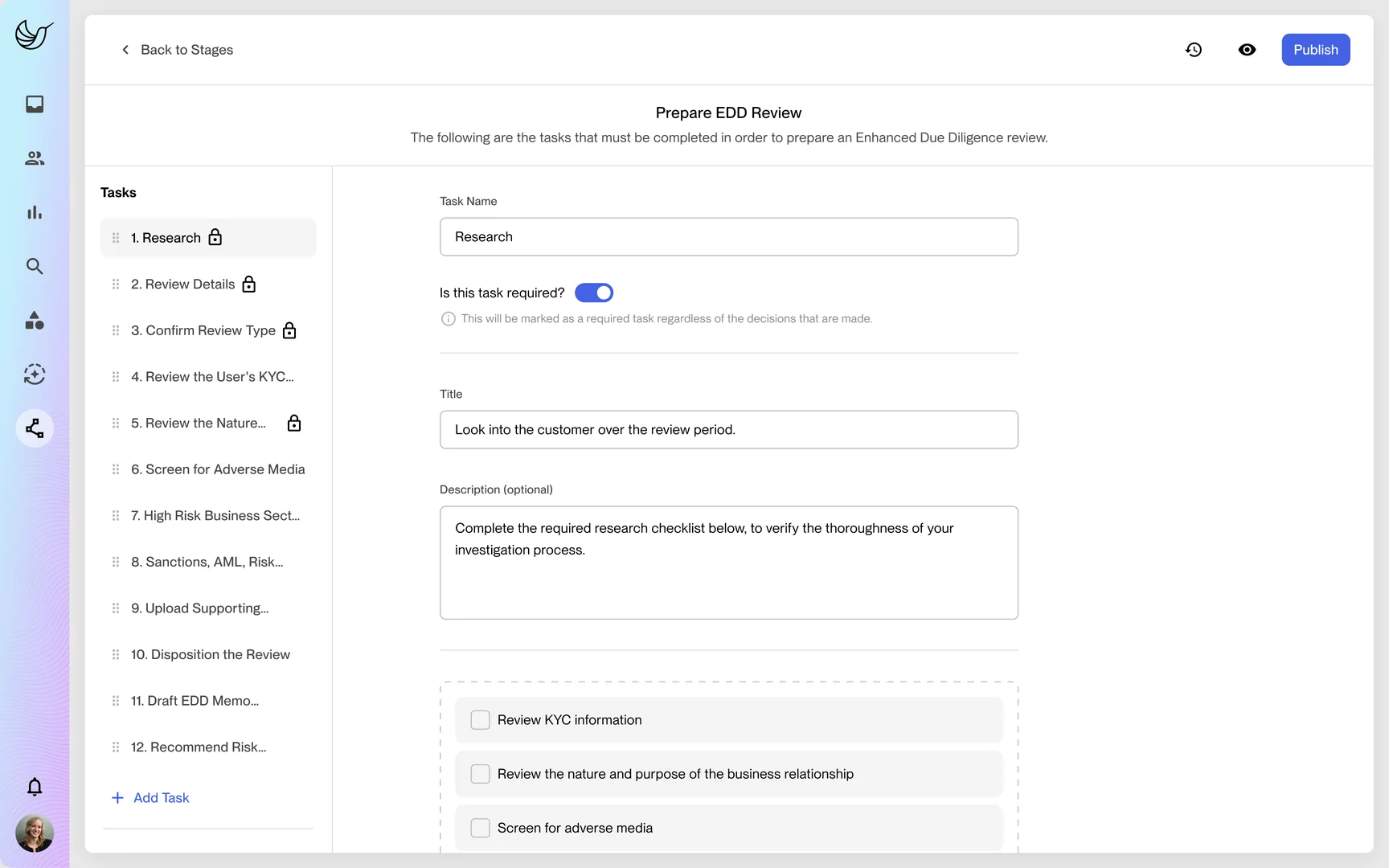
03 · Editing a task 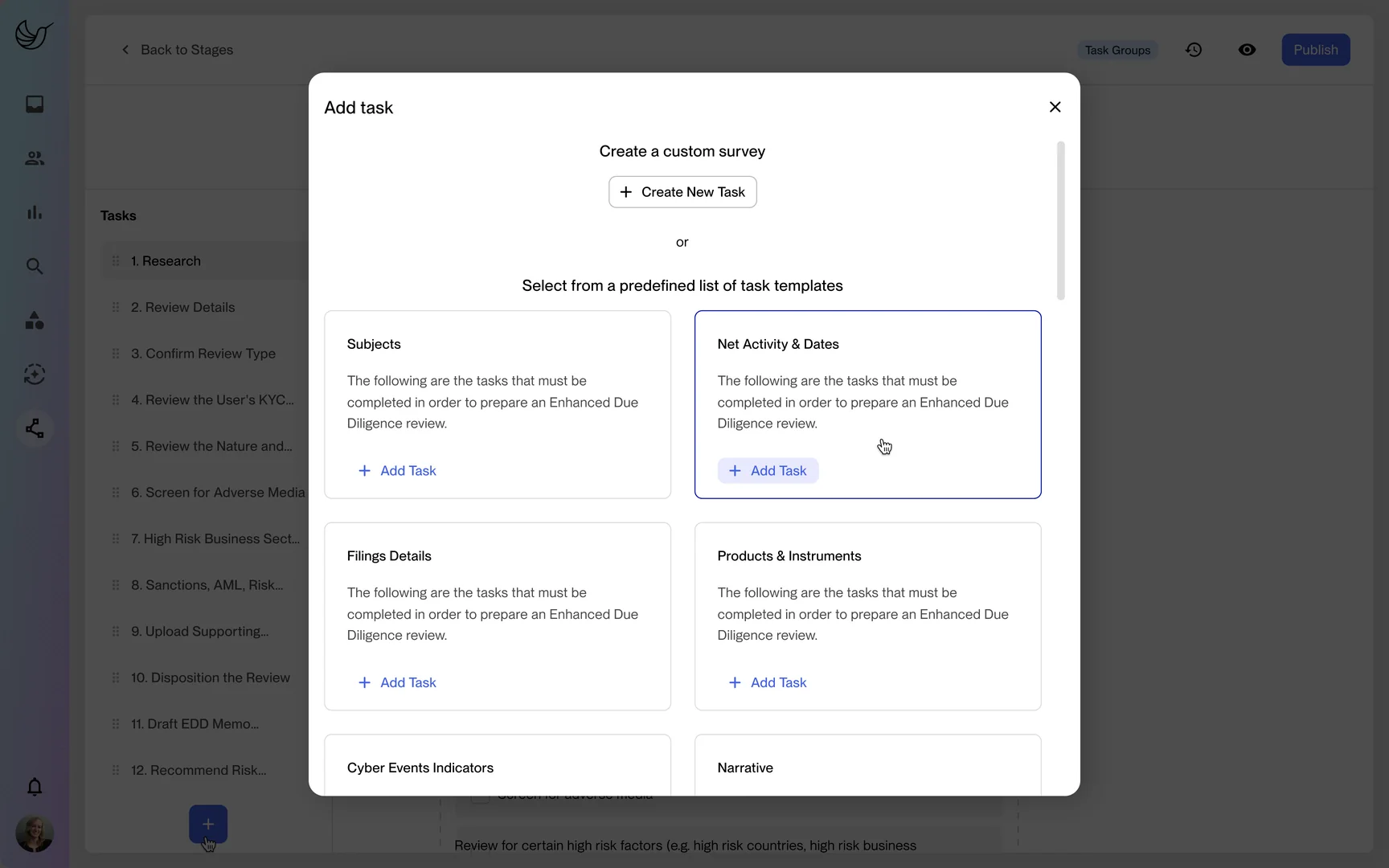
04 · Adding a task 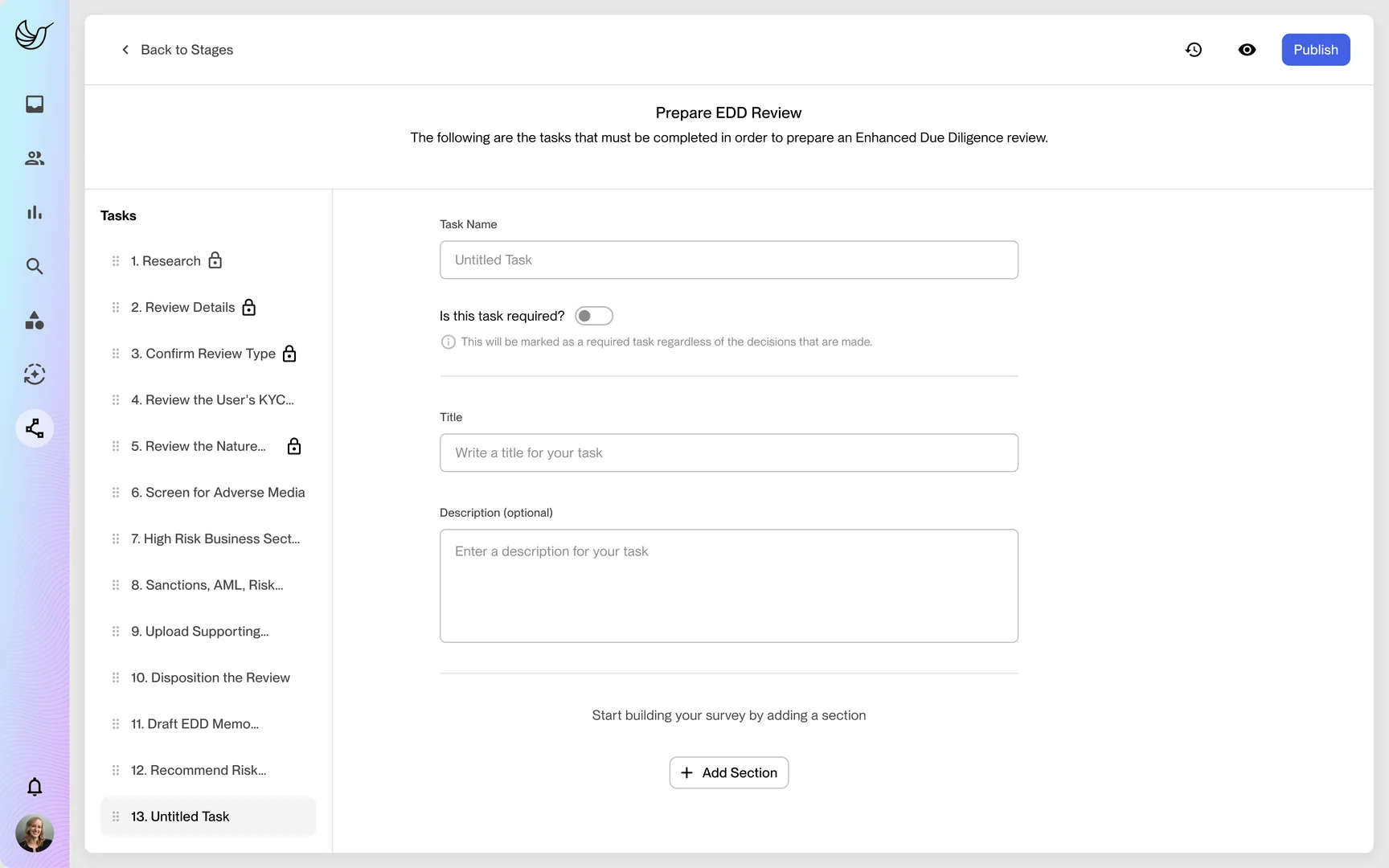
05 · A custom task 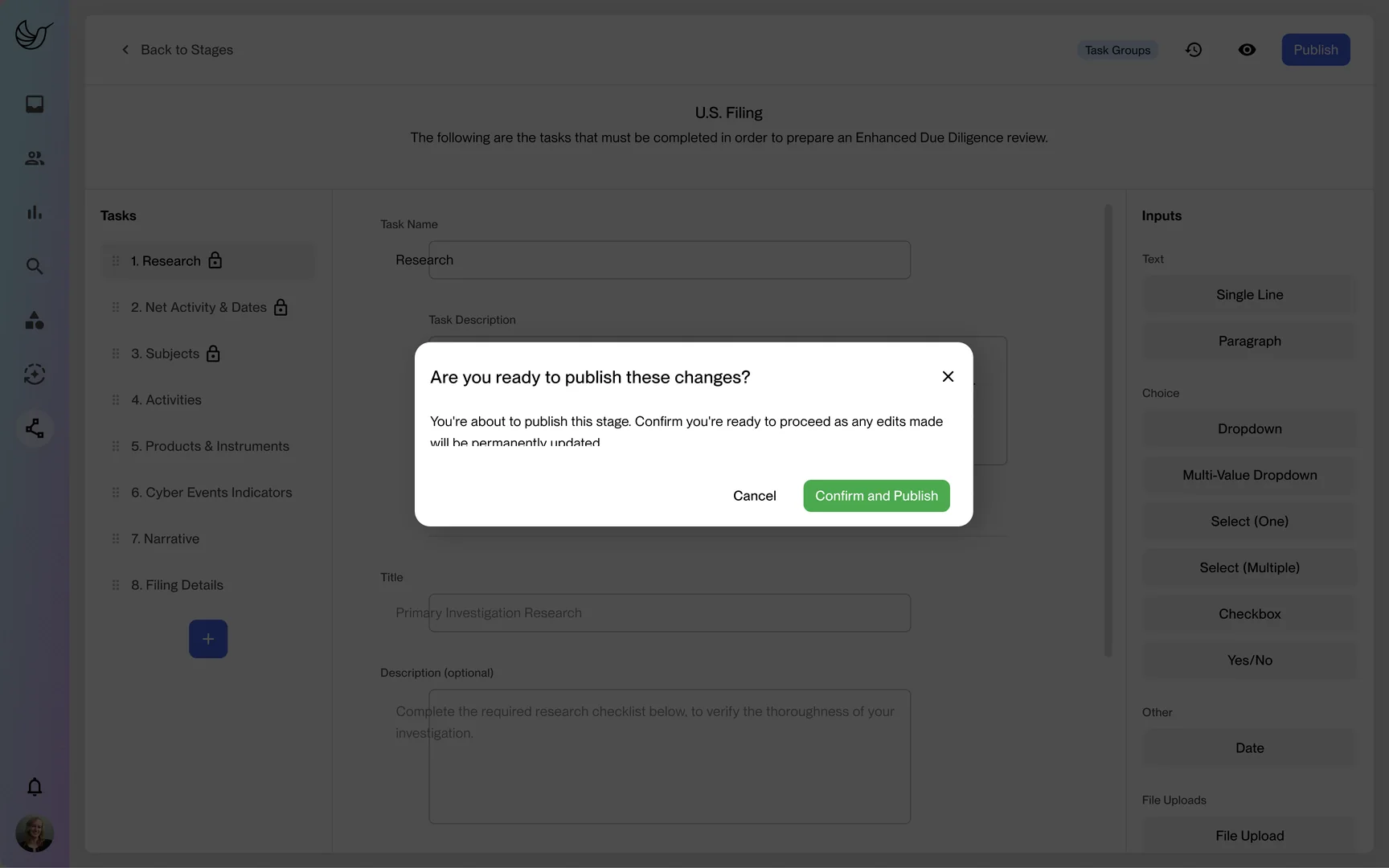
06 · Publishing a change
02 · Investigations
Everything in one view
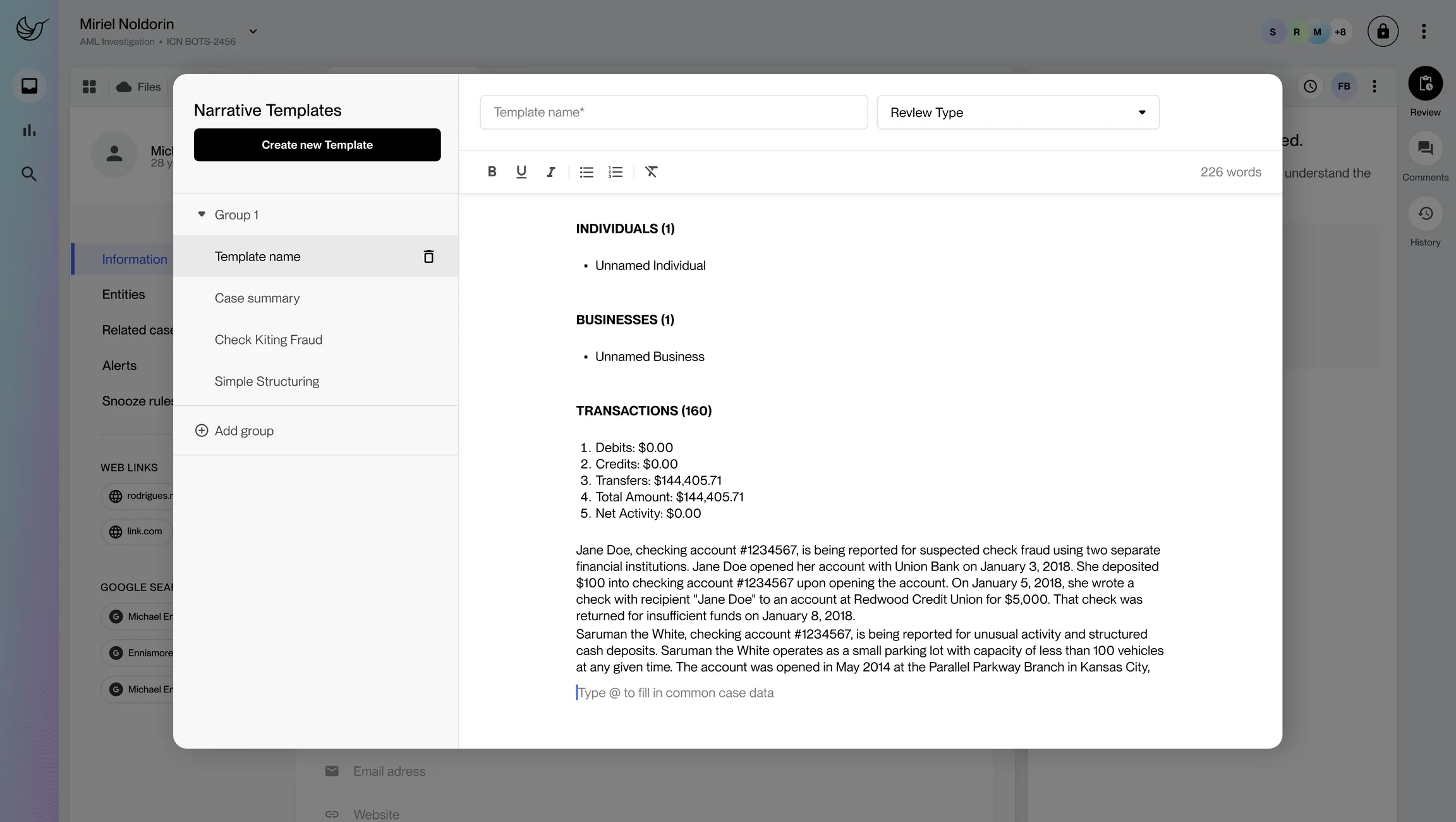
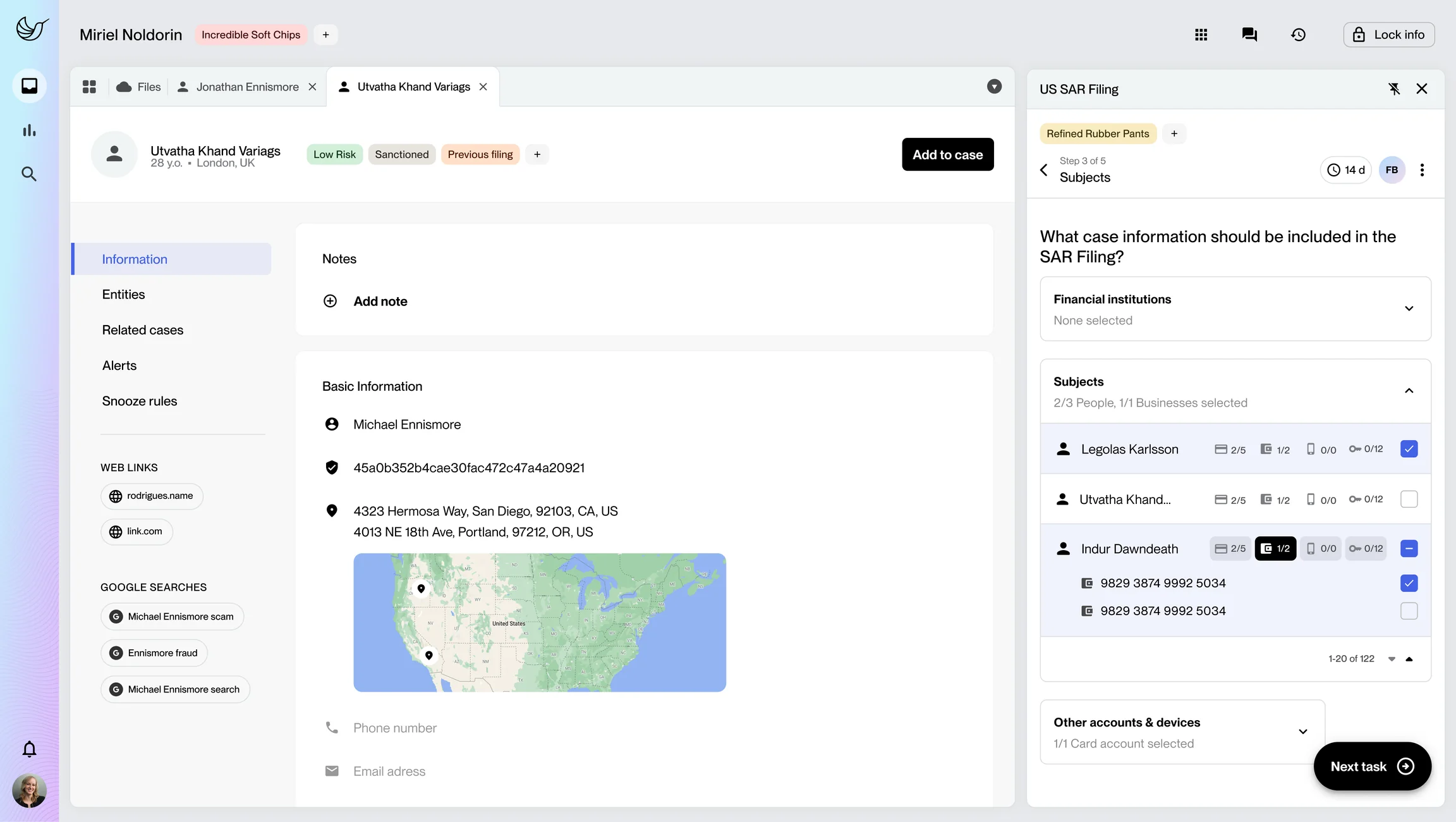
A case pulled evidence from everywhere, and the investigator had to weigh it and make a call that might end up in front of a regulator. The design problem was density: putting the evidence in one place without burying the decision. Every view had to answer two questions quickly:
What happened?
Flagged transactions, the customer's history, prior cases, analyst notes and outside data.
What still needs doing?
Open tasks, and the decision still to make.
03 · Automations
Powerful, not dangerous
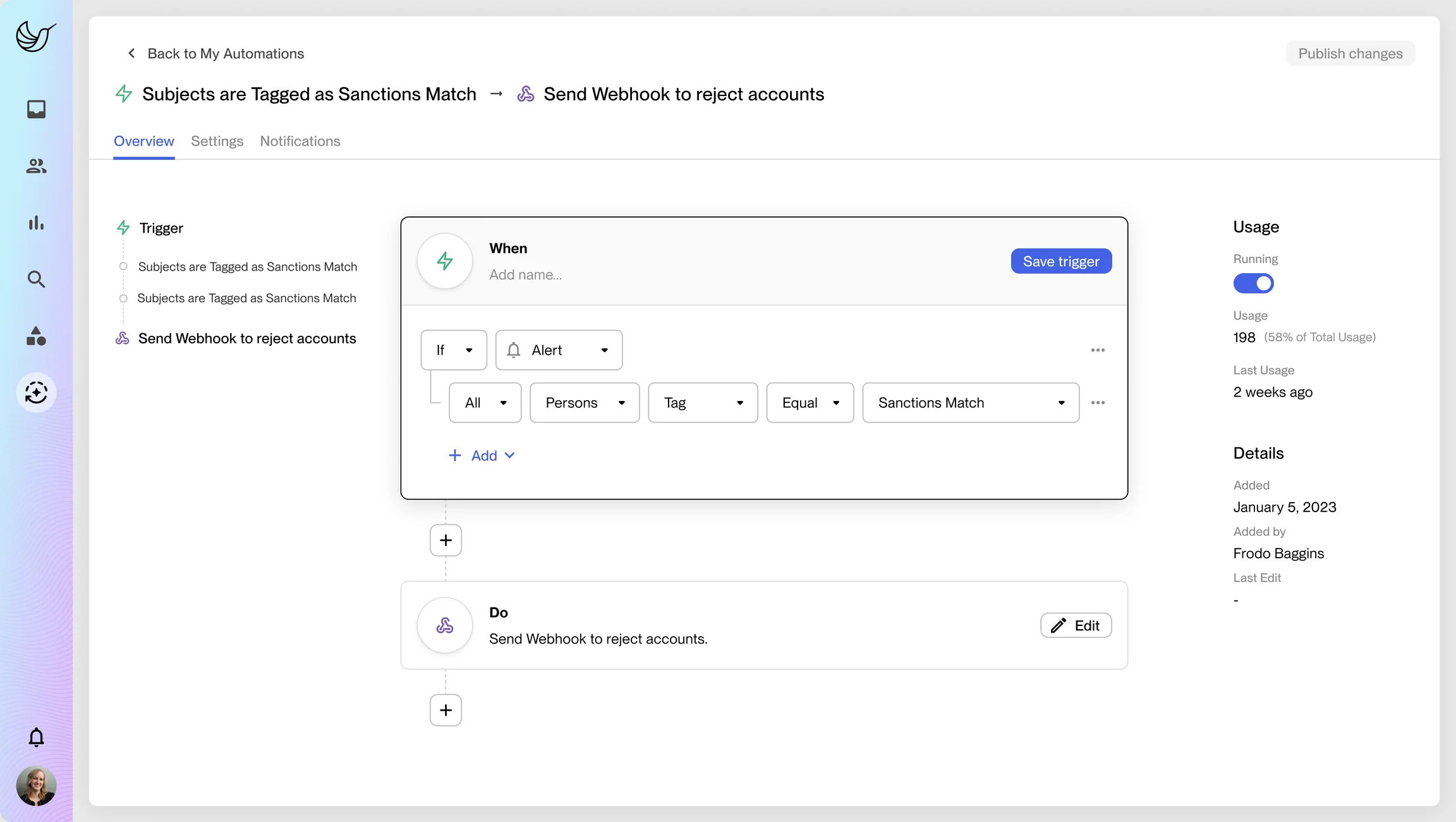
Automations handed routine work to the product: routing cases, flagging familiar patterns, sending standard notifications. In compliance an automation acts on the institution's behalf, so it had to be:
- 01
Readable before it ran
Trigger, conditions and action, in plain language.
- 02
Easy to switch off
Any automation could be paused or edited at any time.
- 03
On the record afterwards
When it ran, and what it did.
04 · Regulatory reporting
Written for a regulator
When an investigation ends in a filing, the output is a Suspicious Activity Report, filed with FinCEN. Examiners can review it later, so every part has to hold up.
- Structured fields
- Subjects, amounts, dates and the type of activity.
- A written narrative
- Who, what, when, where, why and how, in the investigator's words.
- A deadline
- 30 days from initial detection, 60 at most.
The design problem was carrying the investigator's work from the case into the filing accurately, so the filing told the same story as the case.